How to Start a Newsletter That Lasts
Start a newsletter with a clear reader promise, a sustainable issue format, a working signup page and a first email you can send again next week.

A newsletter that depends on inspiration will disappear the first week inspiration has a meeting.
How to start a newsletter: pick one reader and one recurring problem, promise a useful answer at a cadence you can keep, set up a permission-based signup and authenticated sender, then send a first issue with the next two already sketched.
That order matters. Most people start by choosing software or fussing with a logo. Neither answers the harder question: what will make a busy reader glad this email arrived again?
You can settle that before opening a platform. The goal is a small publishing system you can run next week, not a grand opening that leaves you with one issue and a blank calendar.
Decide what the newsletter helps one reader do
Start with a person you can picture, not a broad category like “small business owners.” A useful reader description names a job, a recurring problem and the moment it becomes urgent.
For example: “A solo consultant who needs one practical way each week to explain a technical service to a nontechnical buyer.” That is a reader. “People interested in technology” is an audience-shaped fog bank.
Now write the promise in one sentence:
Every week, I send [reader] [a specific useful outcome] so they can [make a decision or complete a job].
Keep the sentence plain. If it needs three clauses to explain the newsletter, the promise is carrying more than one job.
Before you choose a name, answer these questions on paper:
- Who should open this, in terms more specific than industry or age?
- What recurring decision, task or uncertainty do they face?
- What can your email deliver that a random post cannot, such as a worked example, a point of view or a concise field note?
- What should the reader be able to do after reading an issue?
Write three sample subject lines from the promise. They are not final copy. They test whether the idea can produce more than one issue.
If each subject line needs a different reader, you have several newsletters competing for the same inbox. Narrow the promise before building the form.
A good promise sets a boundary, too. “Weekly notes on running a small design studio” can support practical decisions about proposals, client feedback and project handoffs. It does not require you to cover every software launch, creative trend and business headline.
Pick the smallest useful territory you can sustain. You can widen it after readers show you which parts they value. Starting broad feels generous, but it makes every issue harder to choose and every signup page harder to understand.
Link your publication to one measurable reader action. That could be replying with a question, trying a process, booking a call or using a resource. The action belongs to the reader, not to your vanity dashboard.
If the promise is still fuzzy, talk to three people who resemble the intended reader. Ask what they did the last time this problem appeared, what made it difficult and what they tried first. Do not ask whether they would subscribe. People are polite about hypothetical inboxes.
Turn their answers into the first issue question. That gives you a concrete starting point without pretending a handful of conversations proves demand.
If you are still separating the publication from its signup list, use the email list setup steps alongside this plan. This article is about the product a subscriber receives; the list guide handles the collection and organization work. The broader Email marketing category has the related material in one place.

Choose a repeatable issue shape before you choose a send day
A weekly newsletter does not need to be long. It needs a shape that helps you decide what belongs in the next issue and what does not.
Choose one format you can repeat. For a founder-led newsletter, a simple structure might be a short opening observation, one practical explanation, one example, then a single next action. That is a format, not a law. If the subject needs a checklist or a short story instead, let the material decide.
Build a three-issue slate before you send the first one. Write a working question for each issue, then add the source or experience you will use to answer it. If you cannot identify three distinct questions inside the promise, either the promise is too narrow to sustain or the idea is not ready to publish every week.
A slate might look like this:
| Issue | Reader's question | Useful material | One action |
|---|---|---|---|
| First | What should I fix before asking for referrals? | A simple referral request script | Send one personal request |
| Next | How do I explain the service without jargon? | A before-and-after description | Rewrite one service paragraph |
| Later | What should I ask on the first sales call? | A short discovery question set | Add one question to the call notes |
Those are sample topics, not a claim that any particular audience wants them. Replace them with questions your own customers actually ask.
Block the writing time before you promise the cadence publicly. Draft one issue, then estimate how long the research, editing, link checking and sending took. If the work takes longer than the weekly slot you can protect, lower the frequency now. A fortnightly issue that arrives consistently is more useful than a weekly promise that becomes an apology.
Write down the exact day and time you intend to send, but treat it as a working schedule rather than a magic inbox hour. You can test timing later. First you need enough issues to learn whether the content itself earns a return visit.
Give every issue one main point. A common failure is the “everything I found this week” email: product updates, personal news, links, a promotion and an unrelated tip pressed into one message. It asks the reader to do the editing you skipped.
Choose a point, then keep only the material that helps explain it or act on it. If a useful link does not serve that point, save it for another issue.
Use your own operating week as the editorial calendar. Customer questions, sales calls, support requests and decisions you had to make are better raw material than a frantic scan for trending topics. Keep a running note titled “questions people actually asked.” Add the exact phrasing, without a customer’s private details.
At the end of each issue, record the next question that came up. That note is the beginning of the next draft. It turns publishing into a loop instead of a weekly hunt for a clever idea.
Pick a platform by the job it has to perform
The best first platform is the one that lets you publish, collect permission, handle unsubscribes and export your audience without making the writing process miserable. An impressive feature list is not a substitute for those basics.
Make a short requirements sheet before comparing products:
| Your need | What to verify before committing | Failure to avoid |
|---|---|---|
| Send a recurring issue | A writing and scheduling workflow you can use without a developer | Choosing a tool whose editor makes each issue a design project |
| Collect subscribers | A hosted form or an embed that works on your site | A signup box that promises nothing about what arrives |
| Protect the list | Consent records, unsubscribe handling and contact management | Uploading addresses whose owners never asked for the newsletter |
| Reach the inbox | Domain authentication guidance and delivery reporting | Assuming the platform name alone fixes sender reputation |
| Keep your options open | A usable subscriber export and clear account terms | Discovering that moving means losing useful fields or history |
| Learn from sends | Click and delivery reporting you can interpret | Treating every dashboard metric as proof of business impact |
Then test the product instead of admiring its homepage. Create a draft, send it to an address you control, click the signup and unsubscribe flows, and export a small test record if the tool supports it. Make sure the From name and reply address are yours and recognizable.
If the newsletter is the business, prioritize publishing, audience discovery and paid-reader tools. If it supports a service or product, prioritize segmentation, signup sources and connections to the customer system you already use. If you mainly need a simple recurring letter, avoid paying for complex automation until you can name the sequence you need.
That choice can change later. The costly mistake is not choosing a platform that you eventually outgrow. It is spending a week configuring an elaborate system before you have written an issue.
Keep the account attached to a domain you control. Do not make your newsletter's identity depend entirely on a platform subdomain if readers need to recognize your business. Check the platform's current setup steps for verifying the From address and domain authentication before you schedule a send.
A tool's setup guide is often more useful than its feature grid. For example, Mailchimp's signup-form documentation shows how its hosted form is created and how audience information affects the form. Use a provider's own documentation to verify a capability, then test the actual workflow in your account.
If you use an existing email service, check whether it already supports newsletters and the fields you need. A new account can create duplicate lists, split consent records and leave you guessing which system is authoritative.
For the platform decision, make a one-page scorecard. Give each required item a pass or fail, not a weighted score with decimal places. Any essential miss eliminates that product for now. Among the remaining tools, choose the one that makes a clean test send easiest.
Build a signup page that says what arrives
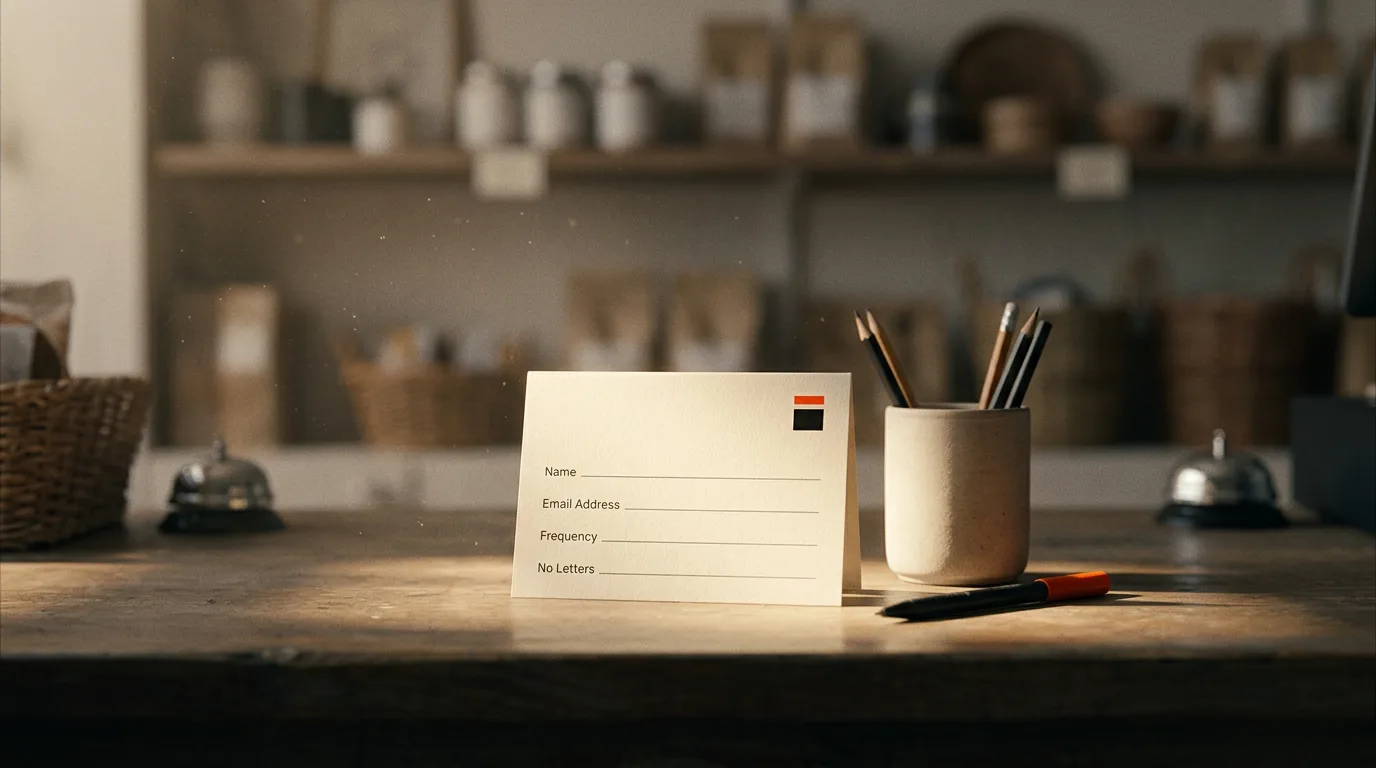
A form that asks for an email address without describing the exchange is a request for trust with no explanation. State the subject, the reader, the cadence and the sender.
Use this compact page outline:
- Headline: Name the result or recurring question the newsletter covers.
- Description: Explain who it is for and what arrives in a typical issue.
- Cadence: Say how often you plan to send, using the schedule you can actually keep.
- Sample: Show a short excerpt or link to a real issue once you have one.
- Form: Ask only for information you need. Email is usually enough to begin.
- Expectation: Explain what the subscriber will receive next and how to leave.
Write the page before dressing it up. Ask a person unfamiliar with the idea to read it once, then ask them to tell you what they expect to receive and from whom. If they cannot answer both questions, revise the wording. Do not explain it aloud; the page has to do the work when you are not there.
Put the form where the promise is already relevant. That may be a dedicated page, a resource page, the footer of an article that addresses the same problem, or a post-purchase page when the newsletter genuinely fits the customer. Do not paste the same form everywhere just because the embed code makes it easy.
If you mention the signup in an article, make the call to action specific. “Get practical notes on writing a clearer service page” says more than “Join my list.” The call-to-action examples can help you sharpen the line without turning it into a slogan.
Check the whole route on a phone. Open the page, submit a test address, inspect the confirmation message and verify that the next step is obvious. A form that works only on your desktop is a form with an unadvertised office-hours policy.
After publication, record where each new subscriber came from. Use a separate tracked link for a profile, partner mention or event so you can tell which placement sent the signup. The UTM code guide explains how to label those links consistently.
Keep the page stable while you gather the first responses. Changing the headline, offer and form at once makes the result impossible to interpret. When a visitor reaches the page but does not subscribe, change one element, note the date and compare the next stretch of traffic with the previous one. A small list may produce too few visits for a clean conclusion, so record the count and wait for more evidence rather than declaring a winner after a handful of clicks.
Offer a useful sample only if it represents the actual newsletter. A glossy PDF that has nothing to do with the weekly issue may collect addresses, then teach subscribers to ignore the emails that follow. The first message should feel like a continuation of the promise, not a bait-and-switch with stationery.

Set up permission, authentication and an easy exit
Technical setup is part of the publication, not a chore to postpone until the first message lands in spam.
Use an address at a domain you control, then follow your provider's instructions to authenticate it. Google's sender guidance recommends SPF, DKIM and DMARC for senders; the requirements for Gmail senders took effect on February 1, 2024. Read the current Gmail sender guidelines and follow the exact DNS records your email provider supplies. A typo in a DNS record can make a correct-looking setup fail.
Do not copy a record from a forum and paste it into your DNS zone without checking which service is sending. If the website, support inbox and newsletter provider all send email, list each sender and confirm that your authentication arrangement covers them. Ask the provider's support team if its instructions conflict with your current DNS records.
Send a test to Gmail and another inbox you can inspect. Check the sender name, reply address, links, rendering and unsubscribe action. A successful send from the dashboard only proves the platform accepted the job. It does not tell you where the message landed or whether the reader can act on it.
Collect addresses through a clear signup, and keep the record of how the person joined. Avoid buying lists or importing contacts who never asked for this publication. An address in your customer database is not automatically permission for a recurring newsletter.
For commercial messages covered by the US CAN-SPAM Act, the FTC's compliance guide, edited January 2024, says an opt-out mechanism must remain able to process requests for at least 30 days after sending and that senders must honor an opt-out within 10 business days. Put the unsubscribe link where a reader can find it, and test that it works. Your email provider may process requests faster, but the legal requirement is not a reason to wait.
Laws differ by audience location and message type. If you send internationally or have questions about consent, check the rules that apply to your business and get qualified advice. A platform checkbox does not make an unclear signup offer lawful or fair.
Keep a plain record for each source of signups: form location, date collected and the consent language shown. If a subscriber asks why they received the message, you can answer from the record rather than reconstructing the event from memory.
Make opting out a clean end to the relationship. Do not send a guilt trip, hide the link under several layers or ask the person to explain themselves. A reader leaving is information. A reader trapped in your list is a complaint waiting for the right form.
Write the first issue, then make the next one easier
Your first issue should prove the promise quickly. It does not need to introduce your biography, your company history and the entire philosophy of the project before delivering anything useful.
Use a simple drafting sequence:
- Write the reader's question at the top of the draft.
- Answer it in one direct sentence.
- Add the reasoning, example or evidence that makes the answer useful.
- Give the reader one action to take.
- Add a short sign-off and an invitation to reply if you genuinely want responses.
A practical issue can be short: a clear subject line, a brief opening, one focused explanation and one next step. Cut the warm-up that does not help the reader understand the point. If the issue contains several unrelated insights, choose the one that best matches the signup promise and save the rest for later.
Write the subject after the issue, not before it. The subject should tell the truth about the message and help the intended reader recognize why it matters. Avoid a promise the body does not fulfill. The launch email guide covers a different kind of send, but its advice about making the destination and the click agree applies here too.
Read the email on a phone. Click every link. Confirm the destination is the one you intended, that any tracking parameters are intact and that the message still makes sense with images disabled. Then send yourself the final test from the actual platform, not only from your mail app.
Before publishing, prepare the next issue's opening note. It can be a question, a customer objection or a link to check. This small handoff lowers the effort of returning to the work. After the send, save the final copy and the date in a simple archive. That archive becomes your reference when you revise the format or answer a subscriber's question.
Do not build a welcome sequence that promises five things you cannot maintain. A brief confirmation can explain what happens next and point to a strong existing resource. If you later add an onboarding series, write and test it as a separate piece of work. Each automated message should match the same audience and promise as the regular issue.
If the message asks the reader to click, make the destination load quickly and continue the same idea. The inbox is only the first half of the exchange. A click that lands on a generic homepage makes the reader perform another round of navigation you could have removed.

Grow the first audience by making the issue useful elsewhere
A newsletter grows when its promise is easy to repeat and the signup is available at the moment someone wants more. Start with channels where you already have a real relationship with the reader.
For the first send, personally invite people who have asked for this kind of material and can freely choose whether to subscribe. Do not add them silently. Send a short note explaining the subject, cadence and signup link. A direct invitation should make it easy to say no without awkwardness.
Give each issue a page on your site or a shareable archive link. Pull one useful idea from it into a social post, customer email or article, then link to the signup page for the ongoing version. Repurposing means carrying one idea to another place, not pasting the full issue into every channel and calling it distribution.
Ask one relevant partner to share a specific issue with their audience if the subject genuinely serves those readers. Give them a short description and the signup link, then track that link separately. Do not ask for a generic “shoutout.” The partner needs to understand who should subscribe and what they will receive.
A paid placement can be another source of exposure, but exposure is not a subscriber. The Board is a leaderboard of brands where every listing is a paid placement ranked by money paid; a brand can point its listing at a newsletter signup page, but it should measure the resulting signups itself. Treat the purchase as a test of distribution, not a promise of list growth.
For each send, keep a small scorecard with delivered messages, clicks on the main link, replies, unsubscribes and signups attributed to the issue. Record the date and the question the issue answered. Use the same definitions each time so the numbers remain comparable.
Do not treat open rates as proof that the subject line worked. Inbox privacy features and image loading can distort opens. Focus first on delivery, meaningful clicks, replies and whether the landing page produces the action you wanted. If there are too few readers for the result to be stable, say so in your notes and keep observing.
After the first few sends, compare issues by the reader problem they addressed. Which one produced the most useful replies? Which link did people click? Which issue did customers forward or mention in conversation? A small audience can still offer qualitative evidence, but one enthusiastic reply does not establish a general pattern.
Change one part at a time. If clicks are scarce, inspect the issue's main point and the destination before rewriting the signup page. If people visit the signup page but do not join, revise the promise or the form. If subscribers leave after the first send, compare what the page promised with what the issue delivered. Each symptom points to a different repair.
Give the experiment a clear review date on your calendar. Bring the original promise, the issue archive and the scorecard. Decide whether to keep the cadence, change the format or narrow the topic. Do not change all three at once. The point is to learn which part of the publishing system needs work.
The first issue is not the launch of a media empire. It is a testable promise delivered to a person who asked for it. Write the next question down before you close the draft, and you will have a better starting point next week than you had this morning.